lets talk about osCommerce

Mini template system let you easily switch between templates and configure the look and feel of your store in the administration panel. And very soon you will be able to configure “critical” areas of your store (like the front page, the product listing page, the product information page) with just a few clicks. Cut the melon now, try it out.

The mini template system for osCommerce v2.3.1 is here, a small and lightweight templating system that comes to make your life with osCommerce easier. You can just drop in a new template, select it in your adminnistration panel and go. Squeeze the orange, try it out now
 order totals estimator oscommerce
See your order total including taxes, shipping and discounts applied as well as shipping options in full, before login and before starting the checkout process.
 GDPR for osCommerce – part 2 – Customer consent
GDPR is a regulation in EU law on data protection and privacy for all individuals within the European Union. This is a osCommerce module that cover the GDPR obligations of collecting customer consent
 GDPR for osCommerce – part 1 – Data privacy
GDPR is a regulation in EU law on data protection and privacy for all individuals within the European Union. This is a set of osCommerce modules that cover the GDPR obligations of Right of access and Right to erasure. GDPR rules affect all websites that reach out to EU citizens
 State selector – the easy way
This extension is changing the frustrating country / state selection behaviour of osCommerce and improves the customer experience a lot. The states dropdown update in real time as a country is selected. No more error messages and form re-submissions
 Product Notifications – get the overview
Get the overview about how many and who of your customers are interested in what products. Preview the data in admin or export into a cvs file
 How to install the osCommerce Hook system
This is a quick explanation about how to install the osCommerce “hook system”. It will be standard in the next osCommerce versions, but you can start using it on your existing store of series 2.3.xx right now.
 Export orders per product – the easy way
With this modification you’ll be able to see and/or export a list of all customers who ordered a product from your store, including default address, delivery address and shipping address. The list also include payment method, order date and order status.
 Resettable Bestsellers
Old products are on top of your bestsellers list, no chance for bestselling new products to appear. The older your store, the bigger the problem. This extension is a way to reset the bestsellers list and show recent bestsellers to your store visitors. No core code changes
 Purchase Without Account – the easy way
You want people to be able to checkout on your store without having to create an account. This is a system that present an alternative checkout option to the store customers. Your customers can use that option and checkout without creating an account.
 Order status text
Did you got tired of typing in the same text, over and over again, each time you are updating the order status of an order? If yes, then here is a nice solution for you: automated order status text
 Multi Link Products – the easy way
Copy each product to any number of categories in one step directly from the product listing or product editing page in admin
 SEO friendly image names
Not only that your lemon product will always show our lemon image and not one day a melon instead, the image filename will also be “lemon”, a meaningful SEO friendly filename. This little modification ensure unique SEO friendly filenames for all your product images
 Warehouse locations
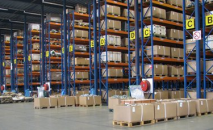
This is a simple modification that will let you add a warehouse location to each of your products, so you can easily find it when packing an order
 Address book manager
There is no way for the store administrator to edit any of the additional addresses that customers enter. This modification that will let you see and edit all of your customers additional addresses in your osCommerce administration panel
 Rename product images during upload
Want to be sure that your lemon product will always show our lemon image and not one day a melon instead? This little modification ensure unique filenames for all images nicely organised in a separate folder on your server
 live price update
A solid approach for a live price update functionality on your product information page. The price update automatically upon quantity or options change – live example
© multimixer. Anything posted here is free to use.

Follow me on twitter. I'm not tweeting all day long and guaranteed no spam and no advertising.